

Control who sees what, and keep a record of it.

Maestro is shared between a team and its clients, so access is governed from the first invitation: roles and permissions, two-factor authentication, regular access reviews and an activity log.

How access is governed.

  1. Roles for your team, and for your clients

    An account role sets a person's standing: owner, admin or member. A role per client sets what they do there: lead, planner, reviewer, finance or viewer. Clients join as guests who review and approve, and never build plans.
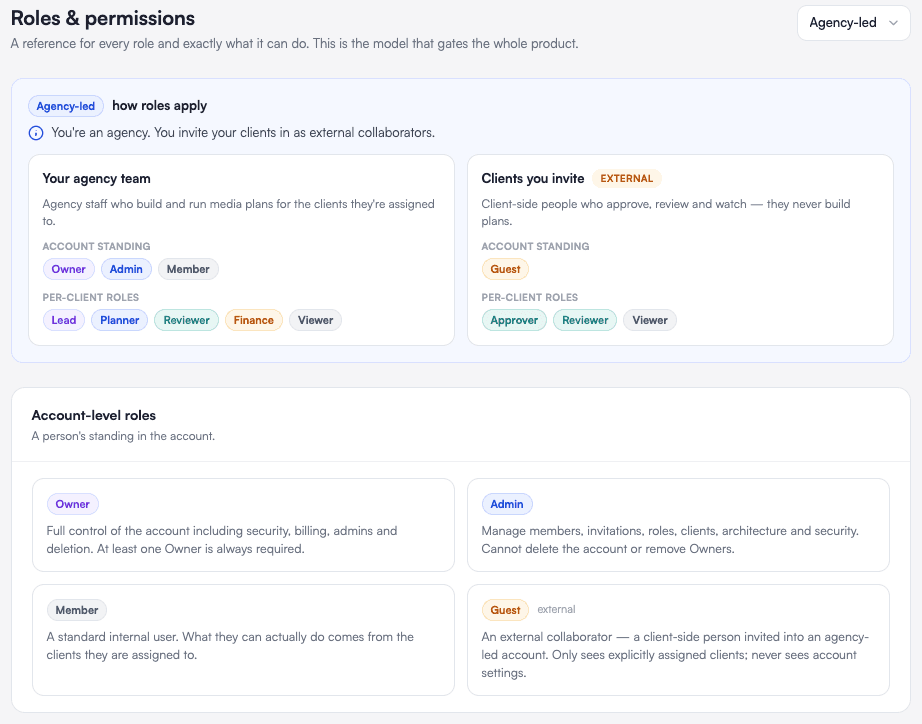
    Roles and permissions: how roles apply to the agency's team and to the clients it invites, and the four account-level roles, owner, admin, member and guest
  2. Everyone in one list

    Your team and each client's collaborators sit in one place, with their role, the clients they can reach and whether two-factor authentication is on.
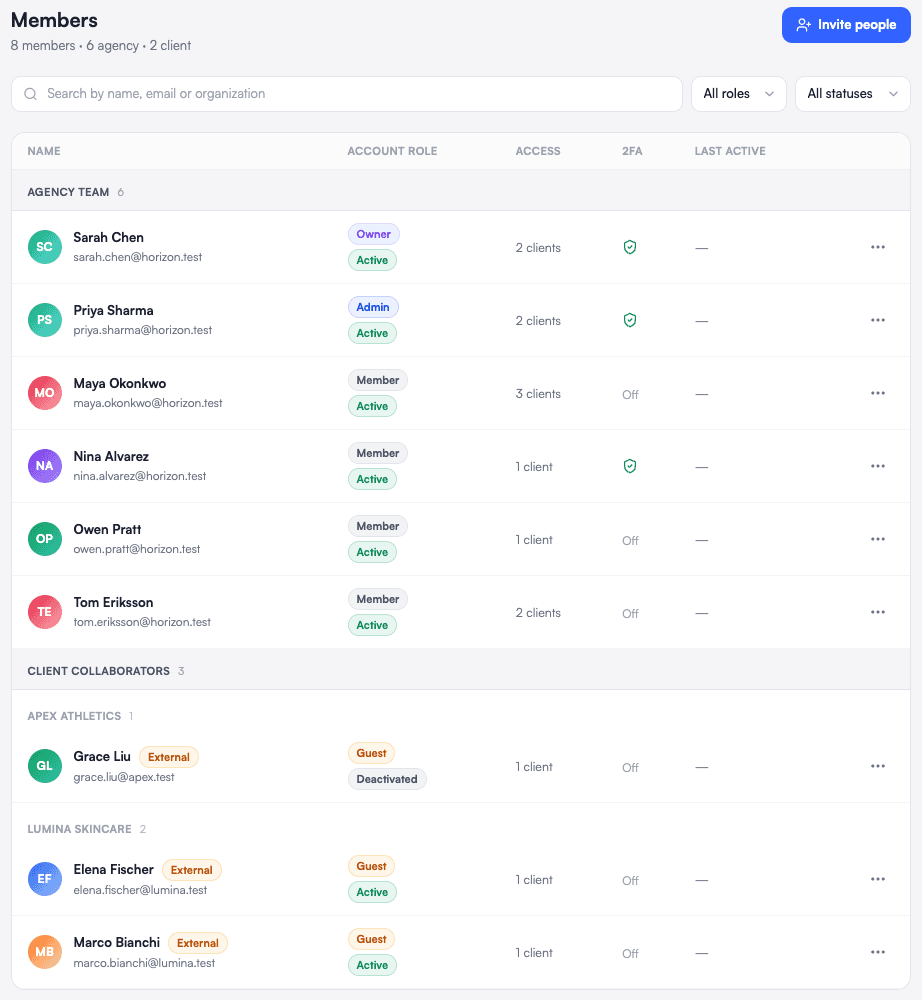
    Members: the agency's team and its client collaborators, each with an account role, a status, the clients they can access and their two-factor state
  3. Two-factor authentication, for everyone if you choose

    Each person can protect their account with an authenticator. An owner can require it for the whole account, and set how long a session stays open.
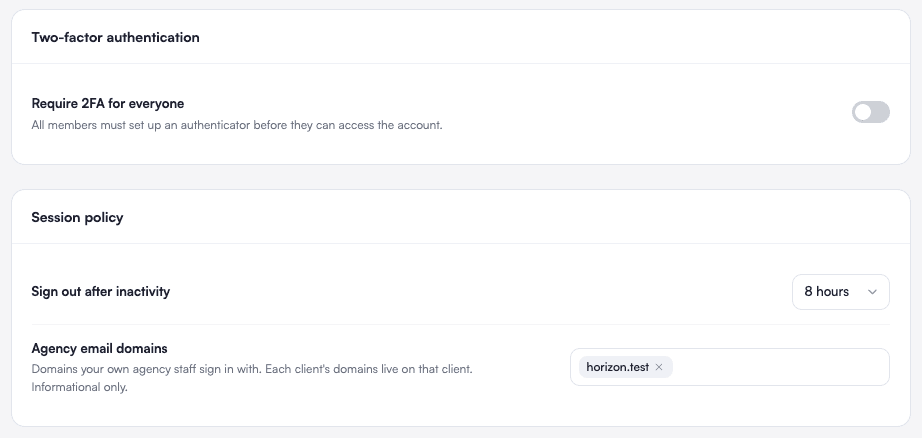
    Security settings: require two-factor authentication for everyone, and a session policy that signs people out after inactivity
  4. Regular access reviews

    Maestro flags external guests, inactive members and accounts without two-factor, so you confirm who still needs access, or revoke it.
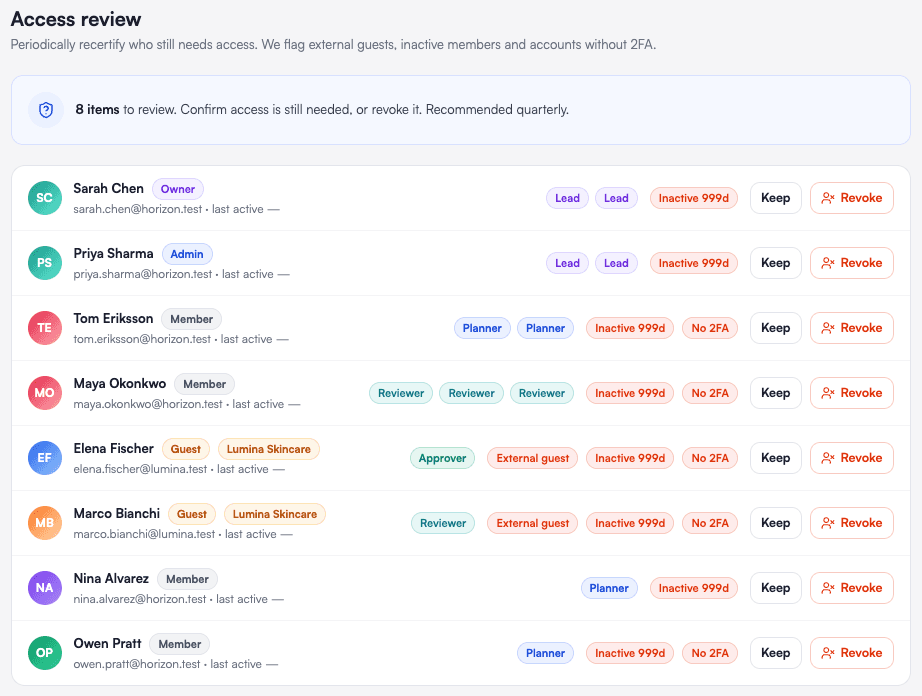
    Access review: each person with what is flagged about their access, and the choice to keep it or revoke it
  5. An activity log of every administrative change

    Who invited whom, who changed a role, who reset a second factor: each change is dated and attributed.
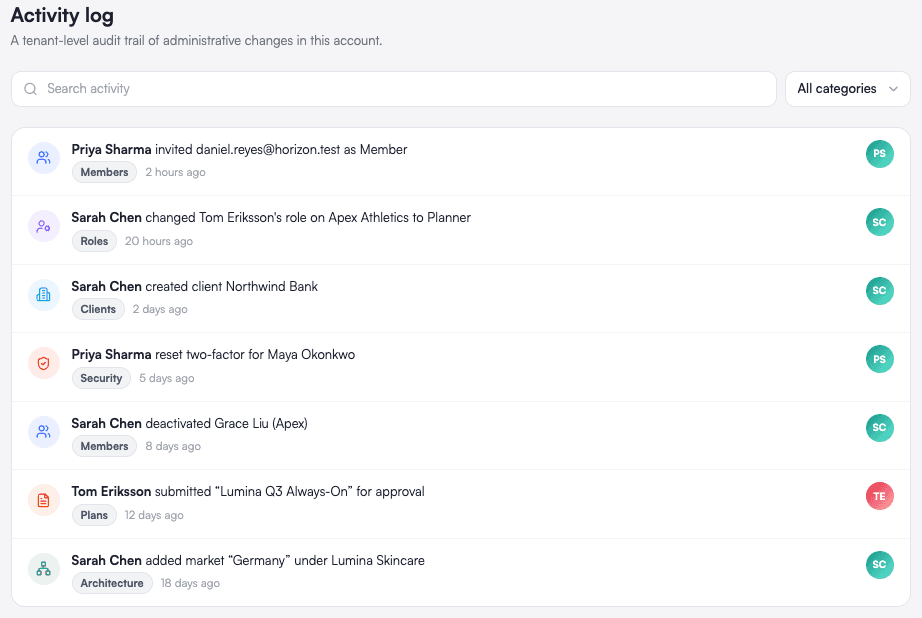
    Activity log: invitations, role changes, new clients and security resets, each with who did it and when

See your next plan in Maestro.