

Your yearly marketing plan and budget, on one interactive timeline.

Build each campaign from its marketing initiatives, see the whole year on a timeline you can rearrange, follow the budget as it is allocated, and keep every confirmed version on record.

Plan the year, and keep track of it.

  1. See the year on an interactive timeline

    Every campaign and initiative lands on the annual calendar. Move or stretch one, and the year rearranges with you.
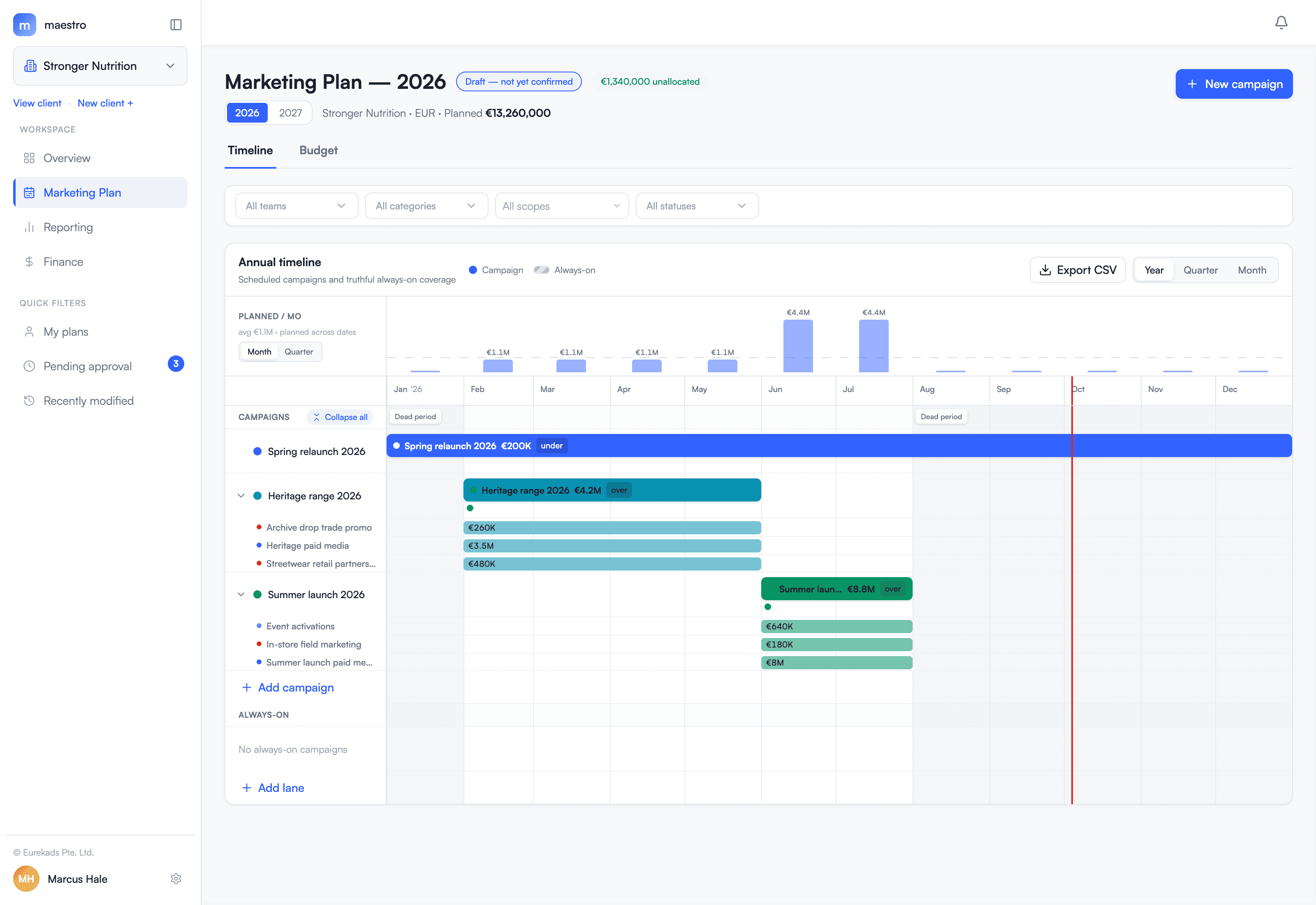
    The annual timeline, January to December: what is planned each month, and every campaign with its initiatives on its dates
  2. Build campaigns from marketing initiatives

    Open a campaign or an always-on layer and choose its initiatives: paid media, events, trade, content and more. Each one gets a budget, a team and a note.
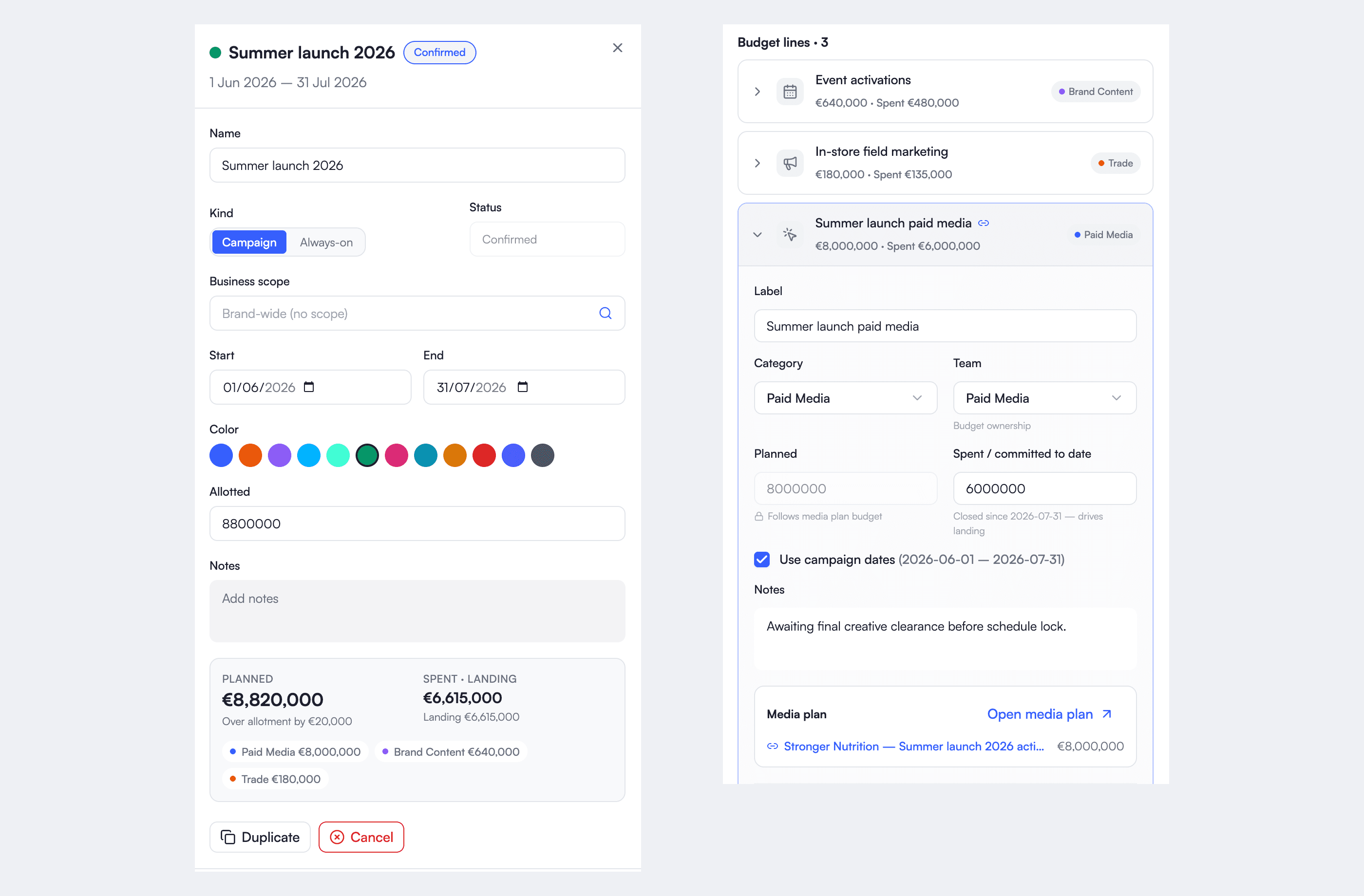
    A campaign's initiatives: events, field marketing and paid media, the paid media one opened to its label, its category and its team
  3. Review the budget in its own view

    Set the year's budget when it comes from the top, see how much is allocated, and read the split by campaign, team and type of initiative.
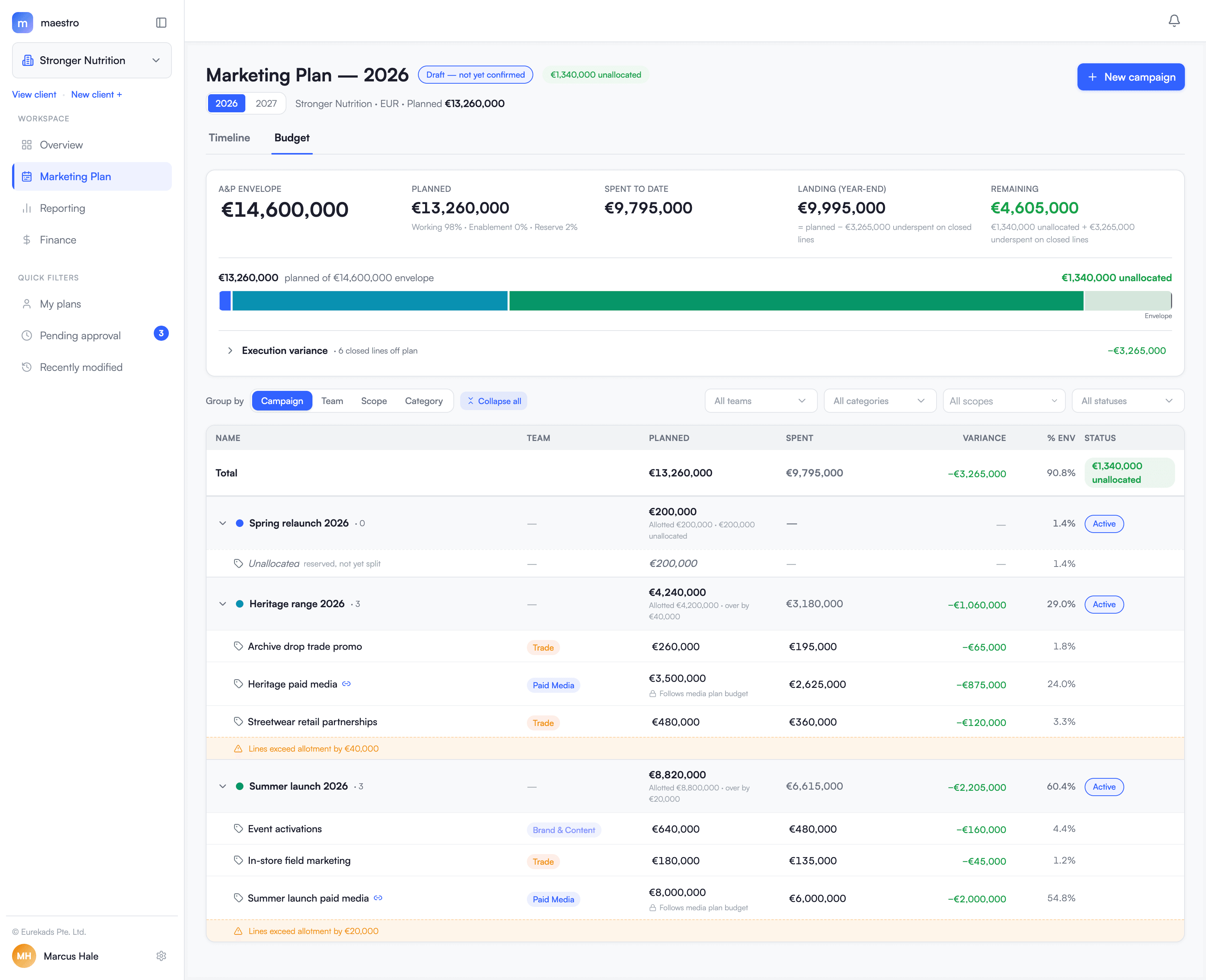
    The budget view: the year's envelope, planned, spent, landing and remaining, then each campaign and its initiatives with their amounts and their share
  4. Keep track with clear versioning

    A confirmed plan is frozen with its date and its approval. When the year changes you make a new version, so you always know what moved, when and why.
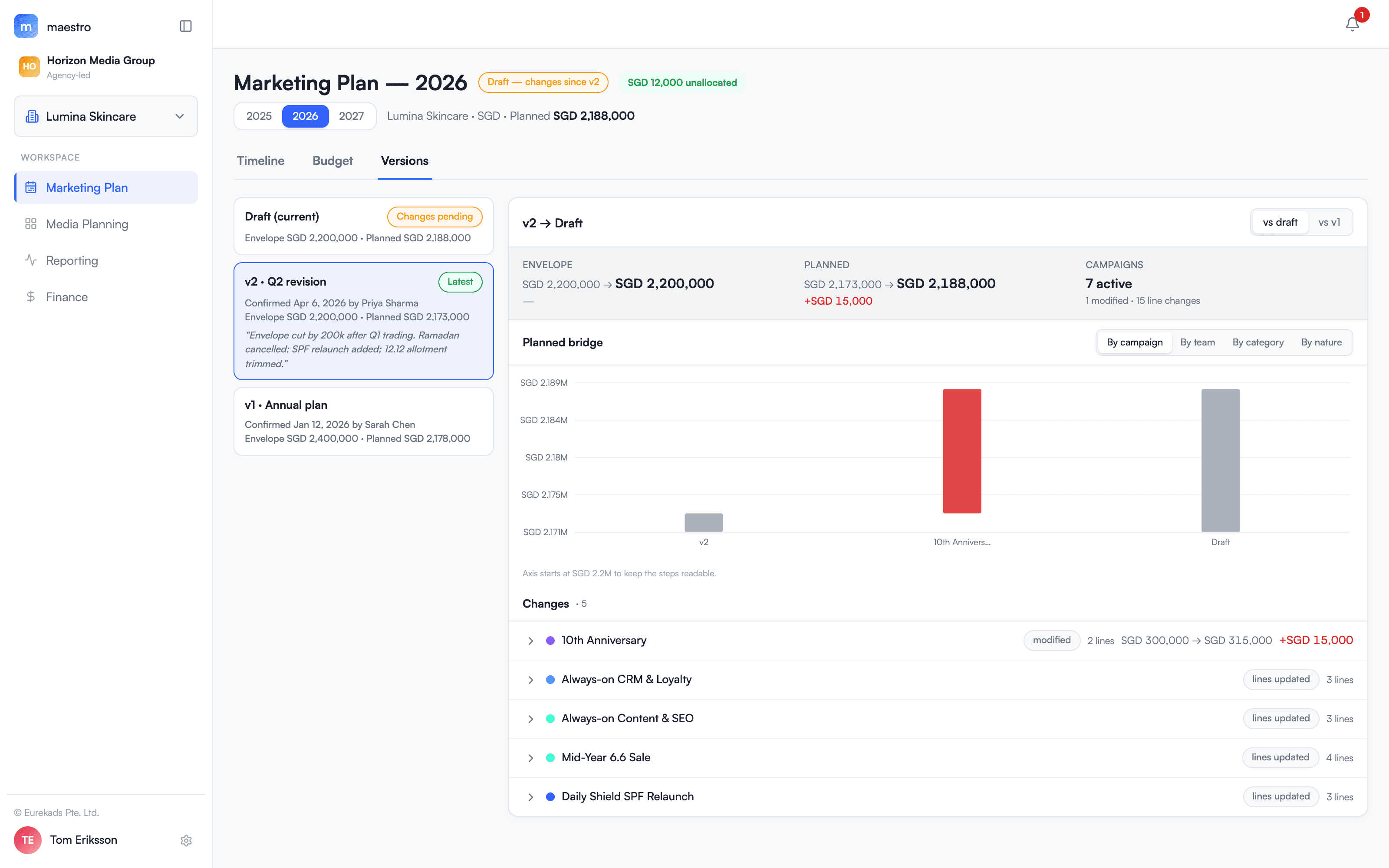
    Marketing Plan, Versions tab: the confirmed versions, each dated and attributed with its reason, and the draft compared with the last one, campaign by campaign

See your next plan in Maestro.

Book a demo