
From purchase order to reconciled invoice.
Bring in your purchase orders and invoices
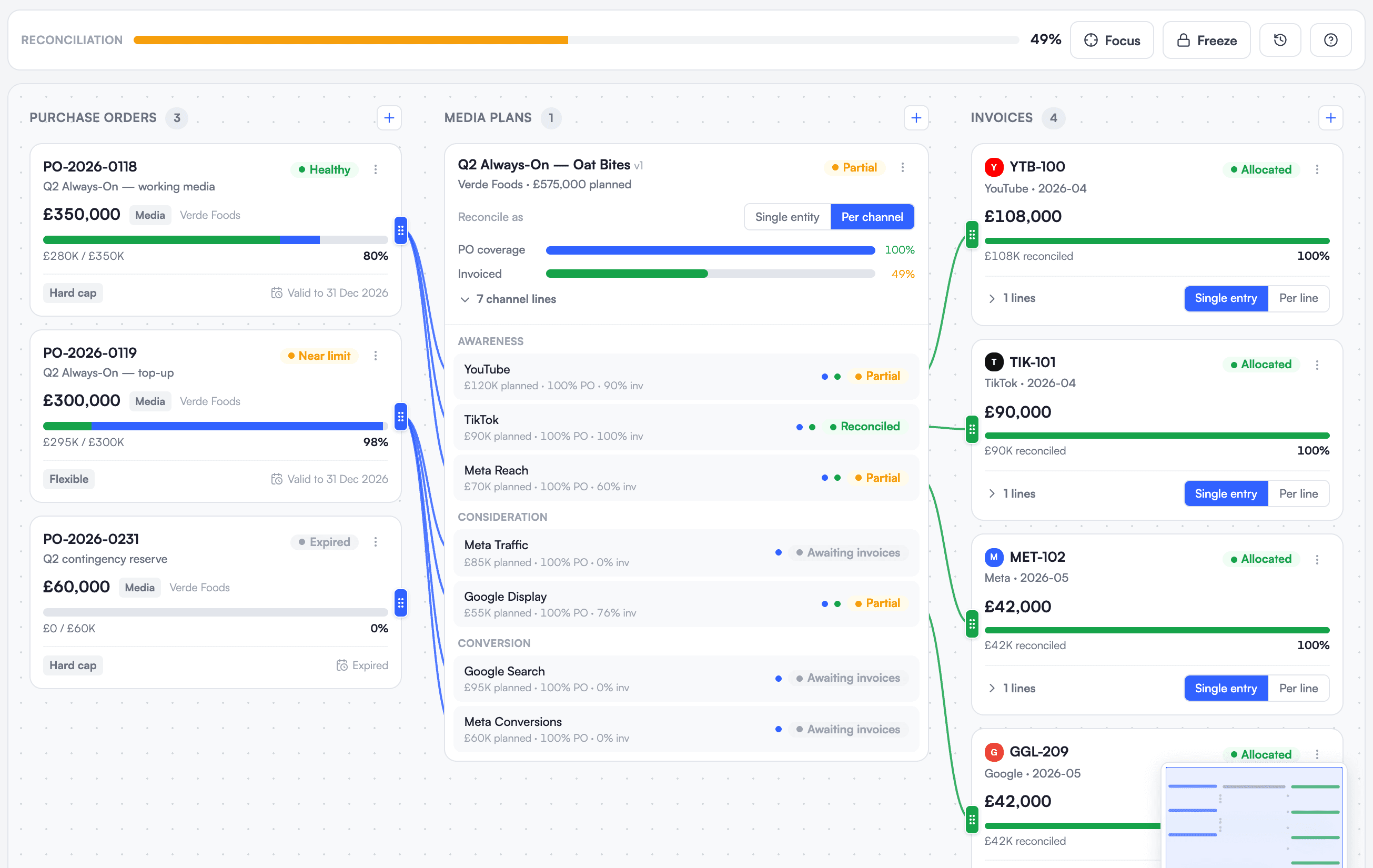
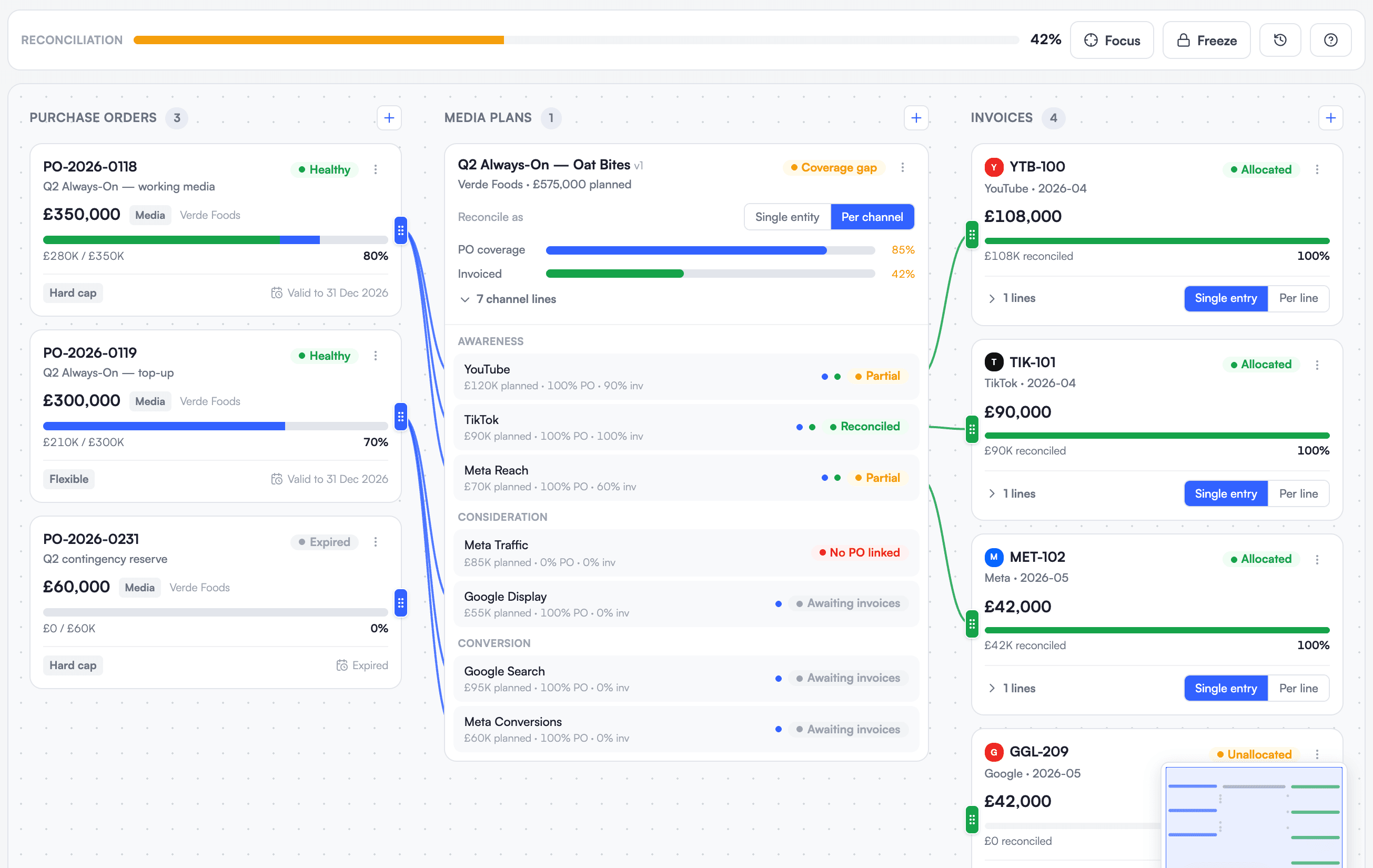
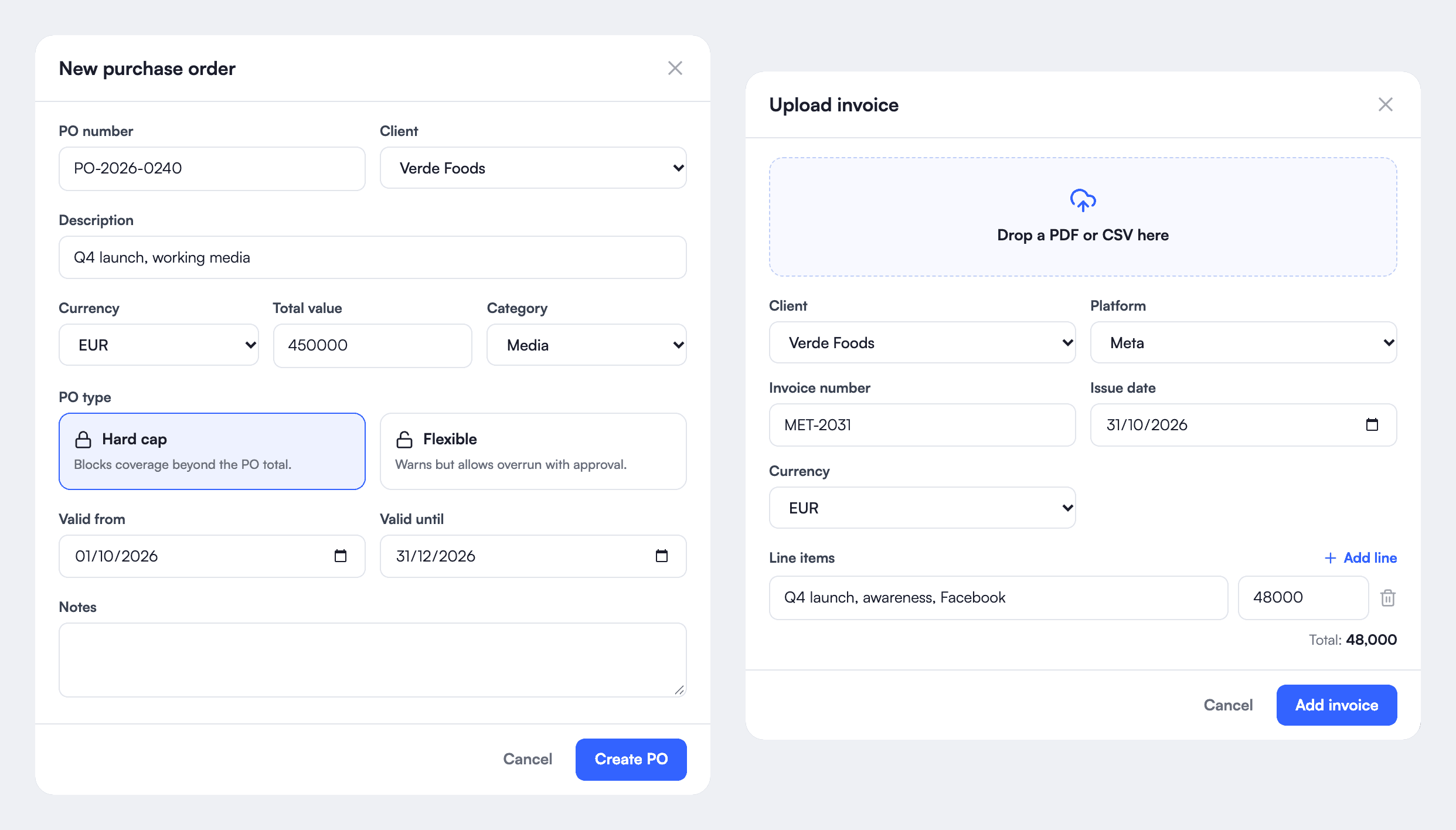
Create each purchase order with its value, its validity and its type: a hard cap that blocks any spend beyond it, or a flexible one that warns and allows an overrun with approval. Then add the platform invoices.
Reconcile the three by drag and drop
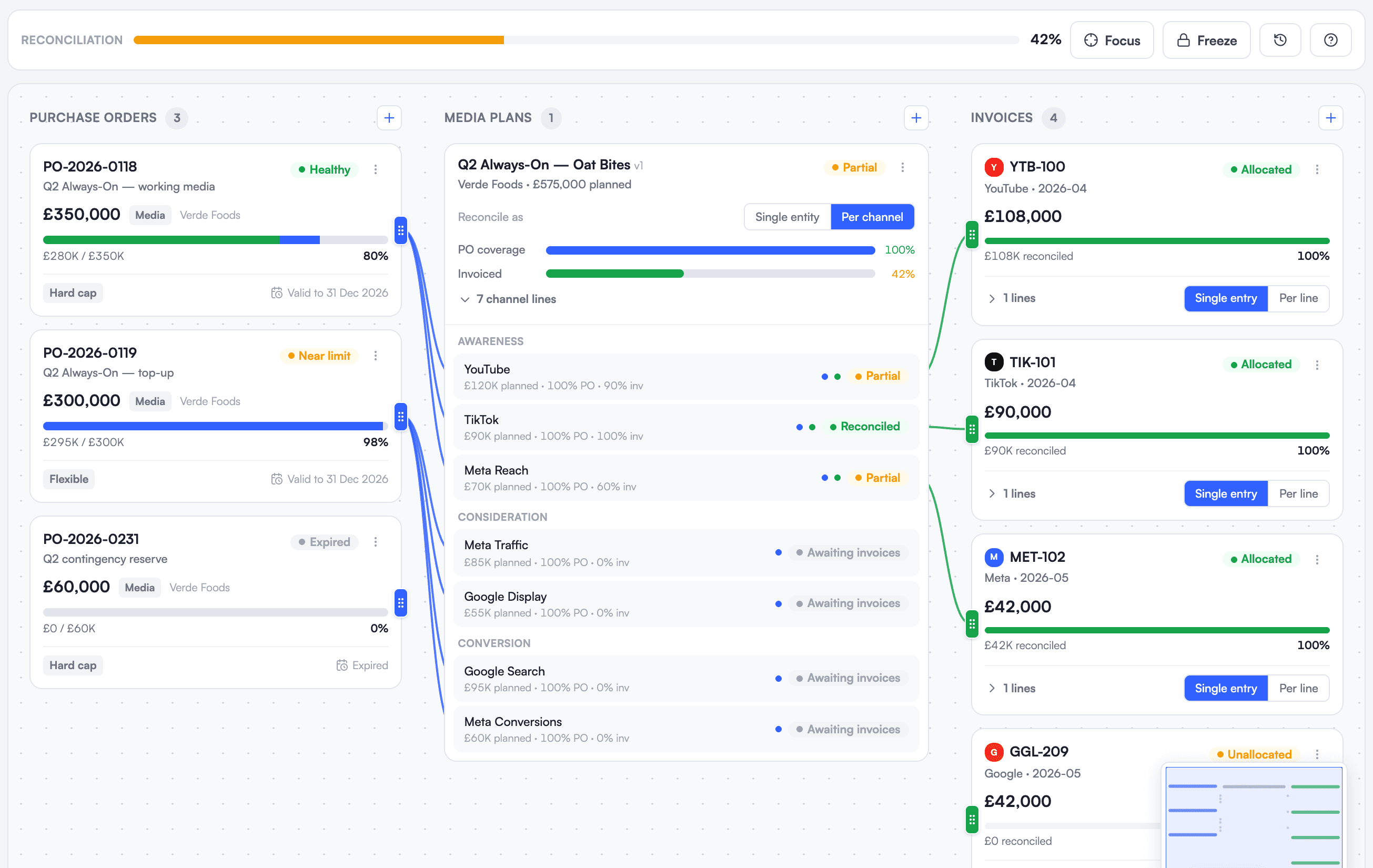
Purchase orders, media plans and invoices meet in the reconciliation workspace. Drag an invoice onto the plan line it pays for, and the purchase order, the plan and the invoice are linked. Reconcile a plan as a whole or channel by channel.
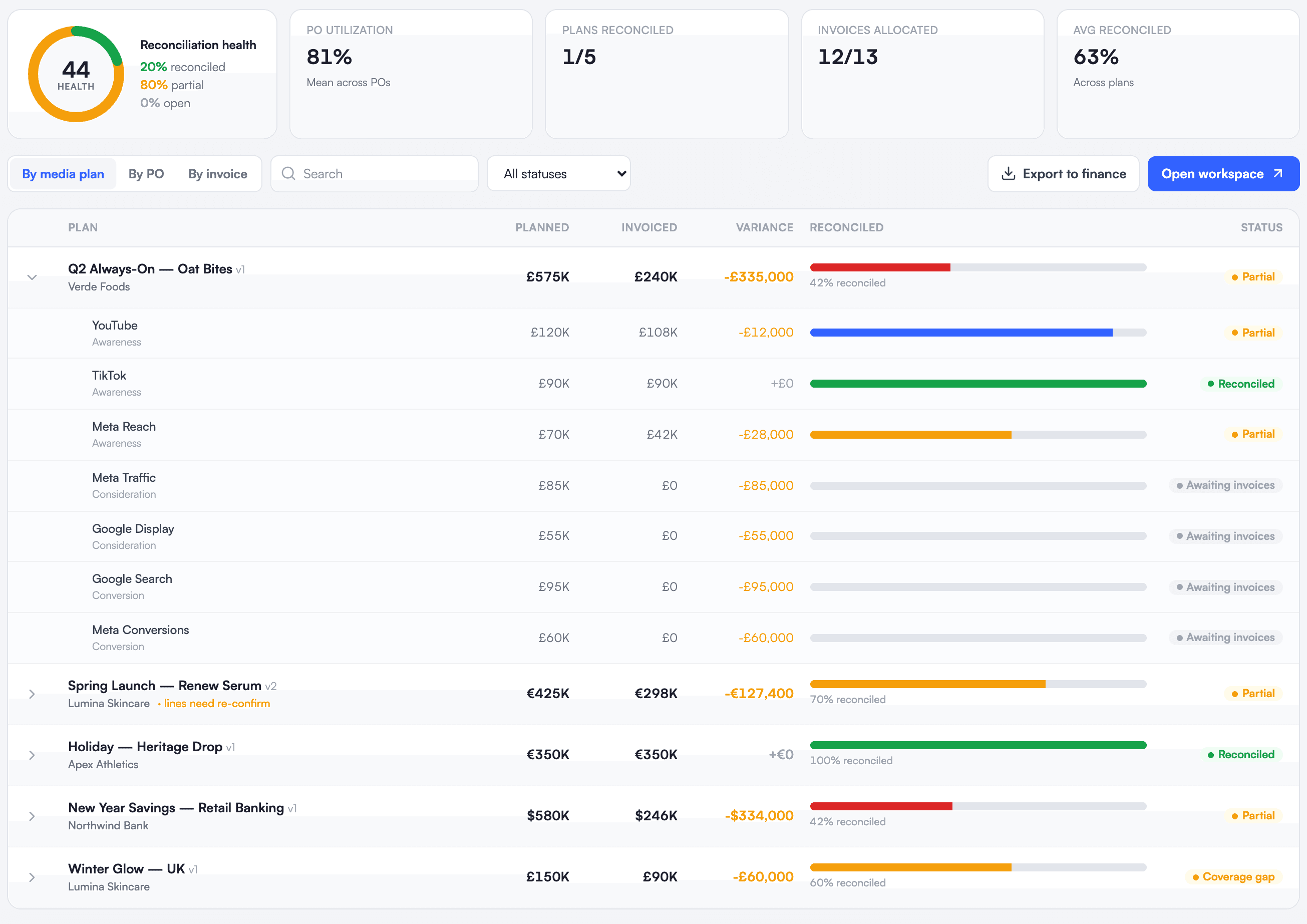
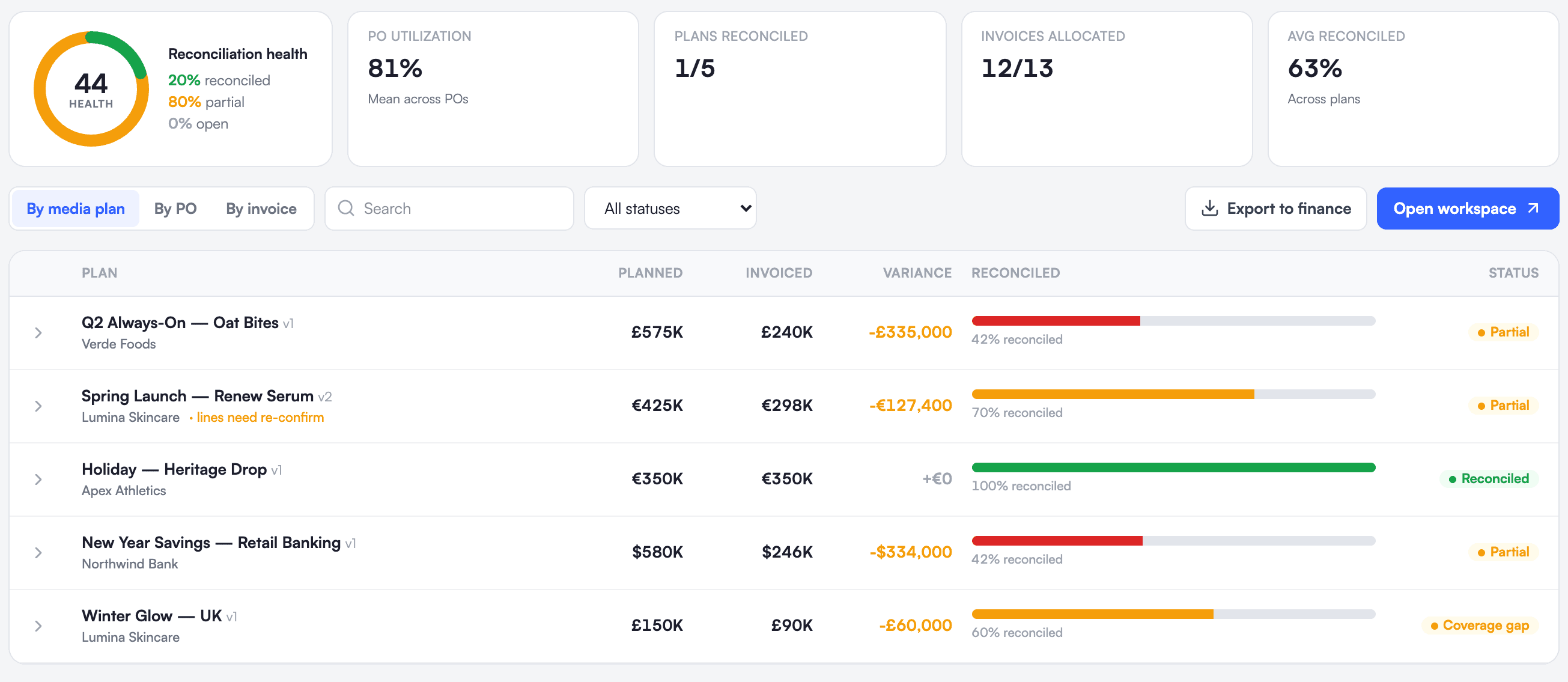
See where you stand, and what is left to solve
The reconciliation overview gives a health score and, plan by plan, what was planned, invoiced and reconciled. Open a plan to see which channels are still waiting for an invoice, then export the result to finance.